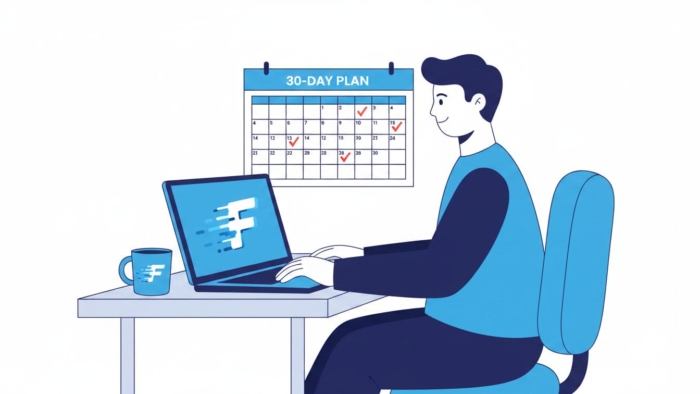
Most touch-typing guides are written as if you are a ten-year-old with unlimited free time. As an adult, you probably have twenty spare minutes a day and years of bad habits to unlearn. The good news is that when you learn touch typing as an adult, you often pick it up faster than children do, because you understand why the method works and you can practise with intent. This is a realistic 30-day plan built around short, focused sessions you can actually fit into a busy life.
Why it is easier to learn touch typing as an adult
You already know the alphabet, common words, and the general layout of a keyboard. What you are really doing is replacing one habit — looking down and hunting for keys — with touch typing: trusting your fingers to find the keys. This is really about building new muscle memory, so the switch feels awkward for the first week, then suddenly starts to click. The key is to protect accuracy early and let speed follow, rather than forcing speed and cementing mistakes.
Before you start, take a quick baseline test so you can measure progress. Note your starting WPM and accuracy on our typing test, then come back in 30 days.
The 30-day touch typing plan
Aim for 15 to 20 minutes a day. Consistency beats marathon sessions — four short practices across a week will do more than one long one.
Week
Focus
What to do
Week 1
Home row mastery
Learn the home row (ASDF JKL;). Keep your fingers resting there and return to it after every key. Accuracy over speed.
Week 2
Top & bottom rows
Add the top row (QWERTY) and bottom row (ZXCV). Practise reaching without moving your whole hand or looking down.
Week 3
Words & common patterns
Type real words and short sentences. Focus on rhythm and smoothness rather than raw speed.
Week 4
Speed & endurance
Push gently for speed with longer passages. Keep accuracy at 95%+ and build stamina for longer typing.
The numbers above are an example of how progress often looks, not a promise. Some people move faster, others slower — and there is usually a dip in week one when you stop looking at the keyboard. That dip is normal and temporary.
Five habits that make the plan work
Never look down. Cover your hands with a cloth if you must. This is the single most important rule.
Reset to the home row. After every word, let your fingers settle back on ASDF and JKL;.
Slow down for accuracy. Speed is a side effect of accuracy, not the other way around.
Practise daily, briefly. Fifteen focused minutes beats an occasional hour.
Use structured lessons. Guided drills build the right muscle memory faster than random typing.
Following a structured path helps enormously. Our typing lessons walk you through the rows step by step, and you can check progress any time on the typing test. If you want your daily practice to feel less like homework, mix in a round of typing games.
Above all, be patient with the first week. If you can push through the initial awkwardness of not looking down, the rest of the plan gets easier every day. For a deeper look at that specific skill, see our guide on typing without looking at the keyboard.
Frequently asked questions
How long does it take an adult to learn touch typing?
Many adults reach comfortable touch typing within four to six weeks of short daily practice. Building real speed takes longer, but you can usually stop looking at the keyboard within the first couple of weeks.
Is it too late to learn touch typing as an adult?
Not at all. Adults often learn efficiently because they practise with purpose. Age is far less important than consistency and good habits.
How many minutes a day should I practise?
Fifteen to twenty focused minutes a day is plenty for steady progress. Short, regular sessions work better than occasional long ones.
Will my speed drop before it improves?
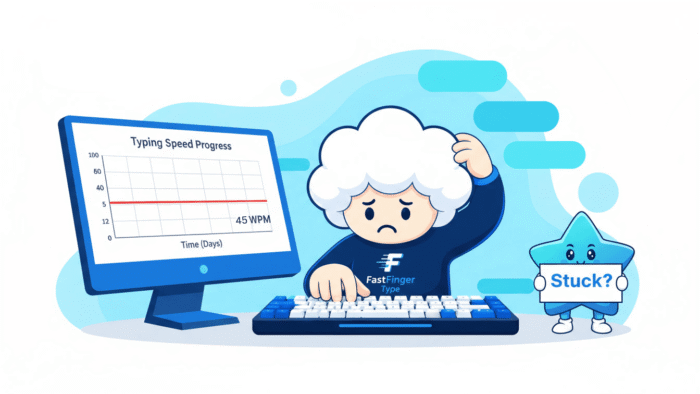
Often, yes. When you stop looking at the keyboard, your speed usually dips for a week or so before climbing past where it started. This is a normal part of the process.
There are two very different ways to practise typing, and people often argue about which one is better. On one side sits the classic typing drill: repeating the same keys, rows, and phrases until your fingers know them cold. On the other sits the typing game, where you blast enemies or race cars while words fly at you. When it comes to typing games vs drills, both can genuinely improve your speed and accuracy — but they work in very different ways and suit different goals. In this guide we will break down exactly what each method does well, where each falls short, and how to combine them for the fastest, most enjoyable progress.
Before diving in, it helps to remember what you are actually training. Typing is a physical skill built on muscle memory. Every time you press a key, you are reinforcing a movement pattern. The question is not really “which method is fun” or “which feels productive” — it is which method builds the right patterns most efficiently for you, at your current stage.
What typing drills are good at
Typing drills are structured and repetitive by design. You practise specific keys, rows, or letter combinations in a controlled, focused way, which builds precise muscle memory. If you are just learning where the keys are, or you have identified a clear weak spot — say, your right hand keeps missing the P and the semicolon — drills are the most direct fix available. They isolate the exact movement you need to improve and let you repeat it until it becomes automatic.
This precision is the biggest strength of drills. Because they are targeted, they waste very little time. A five-minute drill focused on your three weakest keys will do more for those keys than half an hour of general typing. Structured lessons also introduce keys in a sensible order, so you build a solid foundation instead of picking up bad habits and having to unlearn them later.
However, drills have one major weakness: motivation. They can feel repetitive and even boring, and boredom is the number-one reason people quit practising before they ever see results. If a method is effective but you will not stick with it, its real-world value drops sharply. That is exactly the gap typing games are designed to fill.
What typing games are good at
Typing games solve the motivation problem almost completely. When you are focused on surviving a wave of enemies or beating your best lap time, you forget you are “practising” at all. As a result, you end up typing far more words in a session than you ever would during a plain drill — and that extra volume, repeated regularly, is exactly what builds speed and fluency over time.
Games also train something drills often miss: reacting to words under pressure. In real life you rarely type the same word twenty times in a row. Instead, you type unpredictable text at a natural pace, sometimes quickly, sometimes while thinking. Games mimic this beautifully. Words appear when you least expect them, and you have to read, process, and type them fast. This builds the kind of flexible, responsive typing that transfers directly to writing emails, essays, code, and chat messages.
There is a psychological benefit too. Every destroyed enemy or completed lap is a small reward, and those rewards keep your brain engaged. This is why children in particular learn so well through games — but adults benefit just as much. Practice you actually enjoy is practice you will repeat, and repetition is the real engine of improvement.
The trade-off, of course, is precision. A game will not carefully isolate your single weakest key the way a targeted drill can. It builds general speed, confidence, and flow rather than surgical accuracy on one specific problem area. In other words, games make you a faster, more comfortable typist overall, but they are less useful for fixing one stubborn mistake.
Typing games vs. drills: side by side
To make the typing games vs drills comparison clear, here is how the two methods stack up across the factors that matter most for improvement.
Factor
Typing drills
Typing games
Motivation
Can feel repetitive
High — fun keeps you going
Muscle memory
Excellent, very targeted
Good, more general
Fixing weak keys
Best choice
Not targeted
Speed under pressure
Limited
Excellent
Practice volume
Lower (boredom)
Higher (engagement)
Real-world transfer
Moderate
Strong
Best for beginners
Learning key positions
Building confidence & flow
So which actually improves your speed?
Here is the honest answer: both do — and they work best together. Drills build the accurate foundation, while games build the volume, speed, and enjoyment that keep you practising long enough to improve. Relying on only one is like training for a race by either stretching all day or sprinting all day. You need both the structure and the intensity.
When you frame the typing games vs drills debate this way, the answer becomes obvious: in practice, the typists who progress fastest tend to use drills to fix specific weaknesses and games to stay motivated and rack up practice time. The drills sharpen the rough edges; the games keep the habit alive. A simple weekly rhythm might look like this:
3 days of short drills to sharpen accuracy and target your weak keys.
3 days of typing games to build speed, flow, and practice volume.
1 test day to measure your WPM and accuracy and spot what to work on next.
This mix keeps practice effective and enjoyable, which is ultimately what makes it sustainable. You get the targeted improvement of drills and the momentum of games, without burning out on either.
How to get the most from each method
If you want to squeeze the best results from your practice, a few small adjustments make a big difference. For drills, always slow down enough to hit the keys correctly — speed built on mistakes simply cements those mistakes. Focus each session on one or two problem areas rather than drilling everything at once. And keep sessions short; five to ten focused minutes beats a distracted half hour.
For games, resist the urge to panic when the pace picks up. Instead, keep your fingers on the home row and let your accuracy carry you. It is tempting to mash keys when enemies close in, but clean, correct typing scores better and trains better habits. Over time, you will notice the speed you build in games starts showing up in your everyday typing without any extra effort.
Try our typing games now
The best way to feel the difference is to try it yourself. We have built two free typing games that make speed practice genuinely fun — pick one and start typing.
Star Blaster
Type the words on incoming enemies to destroy them, survive waves, and boost your speed.
Want the structured side too? Build your accurate foundation with our typing lessons, then check your progress any time on the typing test and compare your best score on the leaderboard.
Neither approach is a magic shortcut, and how much you improve depends on how consistently you practise. Used together, though, drills and games cover each other’s weaknesses — structure plus motivation — which is exactly what steady, lasting improvement needs.
Frequently asked questions
Do typing games actually improve typing speed?
Yes, they can. Games keep you engaged, so you practise more often and type more words, which tends to build speed and fluency over time. They work best alongside some structured practice.
Are typing games better than drills?
In the typing games vs drills debate, neither is strictly better; they do different jobs. Drills are best for accuracy and fixing weak keys, while games are best for motivation and speed under pressure. Combining them usually gives the best results.
Should beginners use games or drills first?
Beginners usually benefit from learning key positions with structured lessons or drills first. After that, adding games helps build confidence and keeps practice fun once the basics feel comfortable.
How often should I practise to improve?
Short, regular practice works best. A mix of a few drill days and a few game days each week, with an occasional test to track progress, is a sustainable routine for most people.