 Beginner
The Best Way to Learn Touch Typing as an Adult (Realistic 30-Day Plan)
Most touch-typing guides are written as if you are a ten-year-old with unlimited free time. As an adult, you probably have twenty spare minutes…


I still remember the exact moment I realized my typing was holding me back. I was on a screen-share with a client, taking live notes while they talked, and every few seconds I’d hit backspace three or four times to fix a word. They could hear it. That awkward little rhythm — type, type, delete-delete-delete, type — filling the silence. By the end of the call my “notes” looked like a ransom letter, and I’d caught maybe half of what they actually said.
That night I got a bit obsessed. Not with becoming some 120-words-per-minute keyboard wizard, but with the simpler, more annoying problem: I was fast enough, but sloppy. And every mistake I made ate the time my speed was supposed to save.
So this is the guide I wish someone had handed me back then. Not theory. Just what actually moved the needle for me, the stuff that wasted my time, and a few things that surprised me along the way.
I used to think of it like a dial. Turn it toward speed, you lose accuracy. Turn it toward accuracy, you slow down. Pick your trade-off.
That’s wrong, and it’s the reason a lot of people plateau.
Here’s what I noticed once I started paying attention: when I typed carefully, I was accurate. When I typed fast, I made errors. But the errors weren’t random — I was fumbling the same handful of letter combinations over and over. Certain words. Certain jumps between keys. My “speed problem” was really a small collection of specific weak spots wearing a disguise.
Once I fixed those weak spots, I got faster and more accurate at the same time. The dial was a lie. The two go up together, as long as you fix the right things.
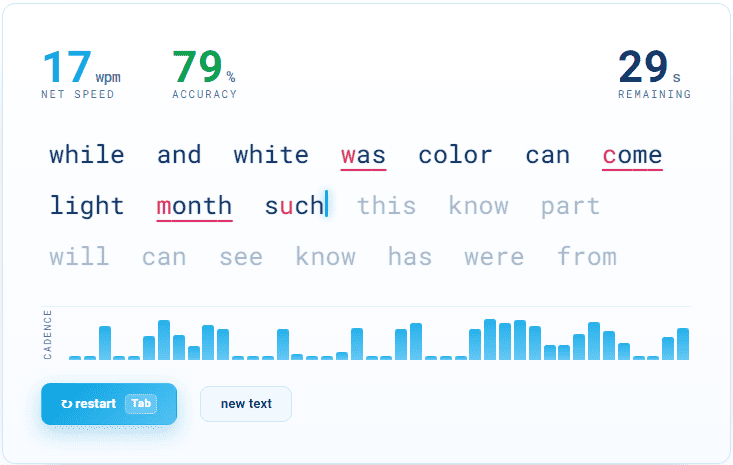
Before changing anything, take a real typing test. Not to feel bad about yourself — to get a baseline you can measure against later. It’s genuinely motivating to look back in three weeks and see the number climb.
You can use our own free typing test right here on the site — it shows your speed and accuracy in a clean one-minute run, so it’s easy to come back and compare. Do a couple of runs and write down two things:
Most people obsess over the first number and ignore the second. Do the opposite at first. If your accuracy is under about 95%, that’s your real problem, and chasing raw speed will only make it worse.
This is the advice that annoyed me most when I first heard it, and it’s also the one that worked.
For the first week or two, deliberately type slower than feels natural — but with near-perfect accuracy. You’re not practicing speed. You’re teaching your fingers the correct movements so they stop making the same mistakes. Speed comes later, almost for free, once the movements are clean.
Think about how anyone learns a physical skill. Nobody learns to drive by flooring it in a parking lot. You go slow, you build the muscle memory, and then the speed shows up on its own.
I set a rule for myself: if I made a typo, I’d retype the whole word, not just fix the wrong letter. Sounds tedious. But it trained my brain to treat mistakes as something to avoid, not something to patch. Within a week my accuracy jumped and — this is the part that surprised me — my speed did too, because I’d stopped bleeding time on constant backspacing.
Here’s a mistake I made for years without knowing it: my fingers were starting from the wrong place.
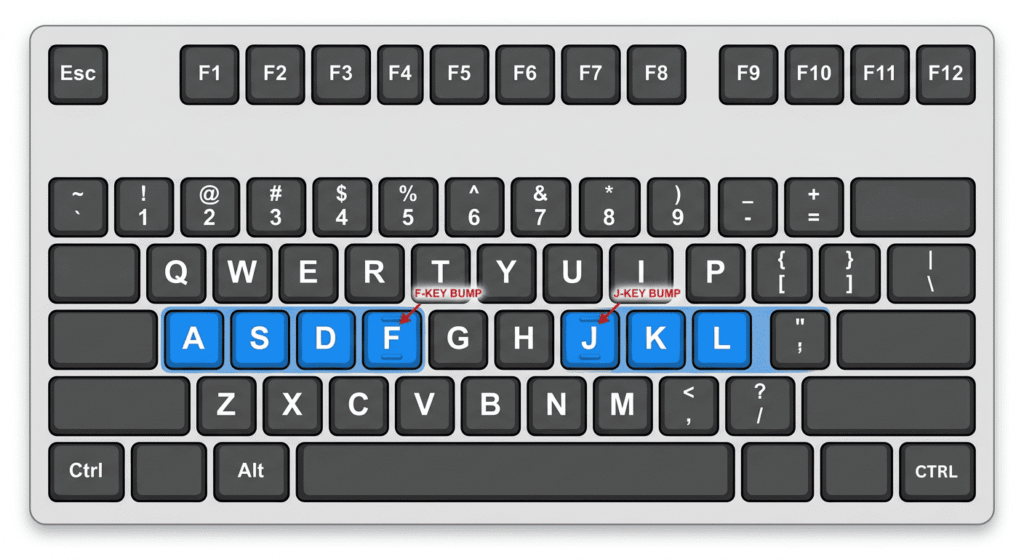
Proper touch typing has a “home row” — your left fingers rest on ASDF and your right fingers on JKL;. Most keyboards have little bumps on the F and J keys so you can find home row without looking. I’d never noticed those bumps in my life. I was basically freestyling with four fingers and a lot of hope.
If you’re in the same boat, this is the single highest-value change you can make. Retraining your hand position feels clumsy and slow for about a week. It’s worth pushing through.
A quick way to check yourself: cover your hands with a towel or just close your eyes, and try typing a sentence. If you have no idea where your fingers are without looking, that’s the thing to fix first.
If you want a structured path to build this properly, our typing lessons walk you through it step by step, starting from home row. And when the drilling starts to feel like a chore, that’s exactly what our typing games are for — they keep you practicing without it feeling like practice.

If you want something concrete to follow, here’s the loop I used. It takes about 15 minutes a day.
Step 1 — Warm up (2 minutes). Type a few easy sentences slowly, focusing only on hitting every key correctly. No speed. Just wake the hands up.
Step 2 — Drill your weak keys (5 minutes). Spend time on the letters you fumble most. For me it was anything involving my right pinky — P, the semicolon, the bracket keys. Boring. Effective.
Step 3 — Do a focused accuracy run (3 minutes). Take a normal typing test but tell yourself the only goal is to stay above 97% accuracy. Ignore the WPM number completely. If you drop below, slow down.
Step 4 — Do one “let loose” run (2 minutes). Now type as fast as you comfortably can, mistakes allowed. This is where you find your current ceiling and let your fingers stretch. Notice which words trip you up — those become tomorrow’s drill.
Step 5 — Type something real (3 minutes). Reply to an email, write a journal line, jot notes. The whole point is to move the skill out of “practice mode” and into your actual day. Skills that only live inside a typing app don’t stick.
One shortcut worth burning into muscle memory: instead of holding Backspace to nibble away one letter at a time, delete a whole word at once with Ctrl+Backspace on Windows, or Cmd+Delete on a Mac. It sounds tiny, but once your fingers learn it you stop losing rhythm every time you fix a word.
Do that loop most days for two or three weeks. You’ll feel the difference before the numbers even catch up.
A few odds and ends that helped more than they had any right to:
Look at the screen, not your hands. If your eyes are on the keyboard, they can’t catch mistakes as you make them. Forcing yourself to watch the screen feels awful at first and fixes a shocking number of errors.
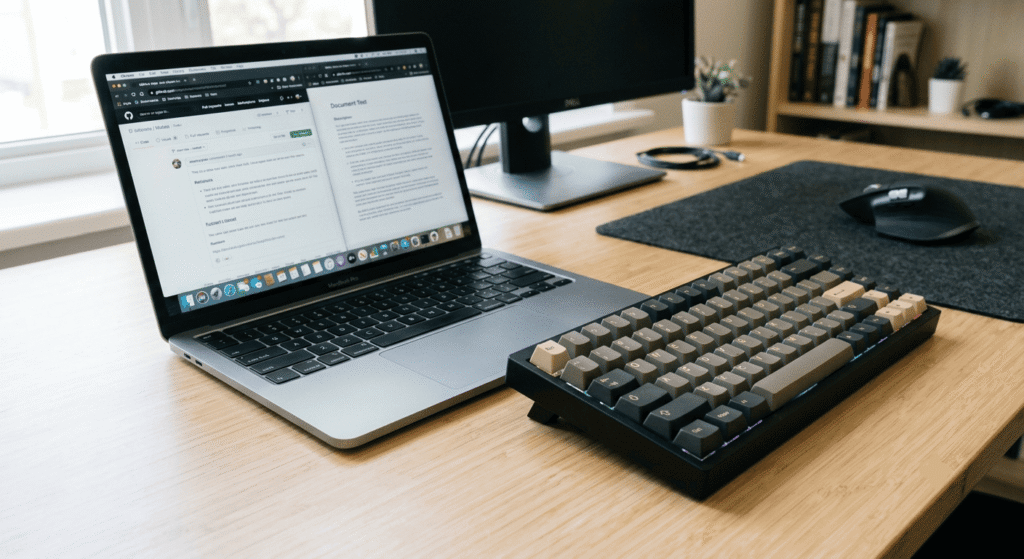
Your keyboard matters more than you’d think. I switched from a mushy laptop keyboard to a cheap mechanical one and my accuracy went up almost immediately. The clearer feedback under each finger — that little click and bump — made it obvious when a key actually registered. You don’t need anything fancy or expensive. Even a decent membrane keyboard with real key travel beats a flat, spongy one.
Sit like you mean it. Wrists floating, not planted. Elbows roughly at a right angle. Screen at eye level. When I slouched, my accuracy tanked and I didn’t connect the two for the longest time.
Rhythm beats bursts. Fast typists aren’t hammering keys in frantic bursts. They keep a steady, even pace. Trying to type in a smooth rhythm — almost like a metronome — cleaned up my errors more than trying to go faster ever did.
I made most of these, so learn from my wasted weeks:
Chasing WPM from day one. Speed is the result, not the goal. Aim for clean, and fast will come find you.
Practicing only inside typing games. They’re useful, but if you never transfer the skill to real writing, it stays a party trick. Type your actual emails and messages with the same care.
Fixing typos by patching one letter. Retype the whole word. It teaches your hands to avoid the mistake instead of getting really good at repairing it.
Doing marathon sessions once a week. Fifteen focused minutes daily beats a two-hour cram every Sunday. Muscle memory is built through repetition over time, not intensity in one sitting.
Ignoring your weak keys. If you keep “just practicing,” you’ll keep drilling the keys you’re already good at and dodging the ones you’re not. Target the weak ones on purpose. That’s where the actual gains hide.
Giving up during the awkward week. When you fix your hand position or switch keyboards, you get worse for a few days. That dip is normal and temporary. Most people quit right before it clicks.
I’m not going to promise you’ll double your speed in a weekend, because that’s not how it works and anyone saying so is selling something.
Here’s what actually happened for me. My accuracy climbed within the first week — that was the fast win. My speed took longer, creeping up over a month or so, then jumping once the fundamentals felt automatic. I went from a stumbly, backspace-heavy typist to someone who can take live notes on a call without embarrassing myself. That was the whole goal, and it was very doable.
The best part isn’t even the number. It’s that typing stopped being something I had to think about. My hands just… go now, and my brain is free to focus on what I’m writing instead of how I’m writing it. That’s the real payoff, and it’s within reach for basically anyone willing to spend a couple of focused weeks on it.
So take your baseline test today, be patient with the slow-on-purpose part, and drill the keys you’d rather avoid. Your future self — the one not deleting every third word on a client call — will thank you.
Around 40 WPM is about average for most people. 60–70 WPM is comfortably fast and more than enough for school, work, or writing. Anything above 80 WPM puts you in genuinely quick territory. But raw speed only counts if your accuracy is high — 70 WPM at 90% accuracy is slower in practice than 55 WPM at 99%, because you lose all that time fixing mistakes.
Accuracy, every time. Speed is the result, not the goal. If you chase WPM while making constant errors, you just train your fingers to make those errors faster. Type slowly and cleanly until the movements feel automatic — the speed shows up on its own once your hands stop second-guessing themselves. Aim to stay above 97% accuracy before you push the pace.
With about 15 focused minutes a day, most people see accuracy improve within the first week. Speed takes longer — usually a noticeable jump after 3 to 4 weeks, once the fundamentals become muscle memory. If you’re fixing your hand position or switching keyboards, expect to feel worse for a few days first. That dip is normal and it passes.
If you want to break past roughly 50–60 WPM, yes. Hunt-and-peck typing has a hard ceiling because your eyes keep leaving the screen, which means you can’t catch mistakes as they happen. Learning the home row (A S D F / J K L ;) feels clumsy for about a week, then it clicks. It’s the single highest-value change most people can make.
More than you’d expect. A flat, mushy keyboard gives your fingers almost no feedback about whether a key registered, which quietly costs you accuracy. A keyboard with real key travel — mechanical or even a decent membrane one — makes each press obvious. You don’t need anything expensive, just something with proper feel. Posture matters too: wrists floating, elbows at roughly a right angle.
Take a typing test and pay attention to where you stumble rather than just the final score. Most people fumble the same handful of letters and combinations over and over — often the pinky keys. Once you spot the pattern, drill those specific keys on purpose instead of practicing the ones you’re already good at. Our typing games are a less painful way to get that repetition in.
BeginnerMost touch-typing guides are written as if you are a ten-year-old with unlimited free time. As an adult, you probably have twenty spare minutes…
 Typing Games
There are two very different ways to practise typing, and people often argue about which one is better. On one side sits the classic…
 Technique
Everyone makes typing mistakes. The problem is not the occasional typo — it is the same mistakes, made over and over, that quietly cap…