
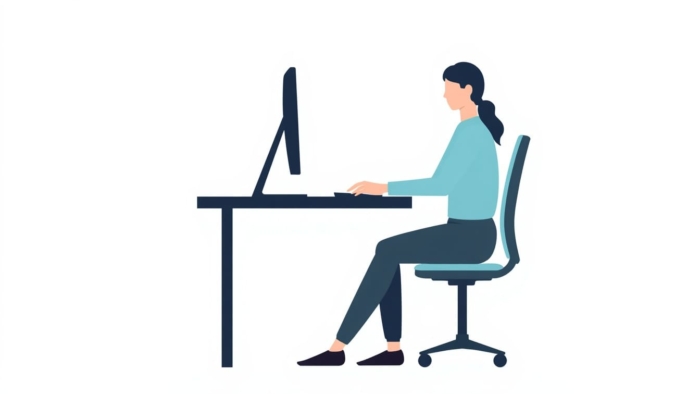
Fast typing is not much use if it leaves your wrists aching by lunchtime. If you spend hours at a keyboard — for work, study, or gaming — how you sit and position your hands matters just as much as how quickly you type. Good ergonomic typing reduces strain, keeps you comfortable for longer, and helps you maintain a relaxed, accurate technique. This guide to ergonomic typing covers hand posture, desk setup, and simple habits to help you avoid wrist pain.
A quick note: this article is general information, not medical advice. If you already have persistent pain, numbness, or tingling, please see a qualified healthcare professional.
Ergonomic typing: correct hand and wrist posture
The goal is a neutral, relaxed position — a core principle of ergonomics — where your hands are not bent, twisted, or straining. Keep these principles in mind:
- Keep wrists straight and floating. Your wrists should hover in line with your forearms, not bent up, down, or resting hard on the desk edge while typing.
- Relax your fingers with a gentle curve. Let them curl naturally over the keys rather than flattening or over-extending.
- Use a light touch. Press keys only as hard as needed. Hammering the keys adds strain and fatigue.
- Keep elbows near 90 degrees. Your forearms should be roughly parallel to the floor.
- Let your shoulders drop. Tension creeps into the shoulders and neck first — keep them loose.
Setting up your desk and chair
Your posture starts with your setup. A few adjustments make a big difference over a long day:
| Element | Recommended setup |
|---|---|
| Chair height | Feet flat on the floor, knees around 90 degrees |
| Screen height | Top of the monitor at or just below eye level |
| Screen distance | About an arm’s length away |
| Keyboard position | Flat or tilted slightly away, elbows relaxed at your sides |
| Mouse | Close to the keyboard so you are not reaching |
| Back support | Sit back into the chair; support your lower back |
Simple habits to avoid wrist pain
Even with a perfect setup, staying in one position for hours is hard on your body and can contribute to repetitive strain injury. These small habits help:
- Take micro-breaks. Every 20–30 minutes, pause for a few seconds and relax your hands.
- Stretch your wrists and fingers. Gentle stretches a few times a day ease tension.
- Stand and move. Get up regularly, even for a minute — movement matters more than any single posture.
- Keep hands warm. Cold, stiff hands are more prone to strain.
- Lighten your keystrokes. A softer touch reduces repetitive stress over a long day.
Interestingly, good typing technique and ergonomic typing habits reinforce each other. A relaxed touch-typist who keeps their fingers on the home row and does not pound the keys naturally types in a more comfortable, sustainable way. If your technique still feels tense or effortful, our typing lessons can help you build a smoother, lighter style, and a relaxed round of typing games is a good way to practise staying loose.
Frequently asked questions
What is the correct hand position for typing?
Keep your wrists straight and floating in line with your forearms, fingers gently curved over the home row, and use a light touch. Avoid bending your wrists up, down, or resting them hard on the desk while typing.
How can I avoid wrist pain when typing?
Set up your desk so your elbows sit near 90 degrees, keep your wrists neutral, take short breaks every 20 to 30 minutes, and use a soft keystroke. If pain persists, see a healthcare professional.
How high should my monitor be?
The top of your screen should be at or just below eye level, about an arm’s length away, so you can look at it without tilting your head up or down.
Does typing technique affect comfort?
Yes. A relaxed touch-typist who keeps a light touch and stays anchored on the home row usually types more comfortably than someone who tenses up and pounds the keys.
Practise a relaxed, comfortable technique with our free typing lessons, then test how it feels on the typing test.