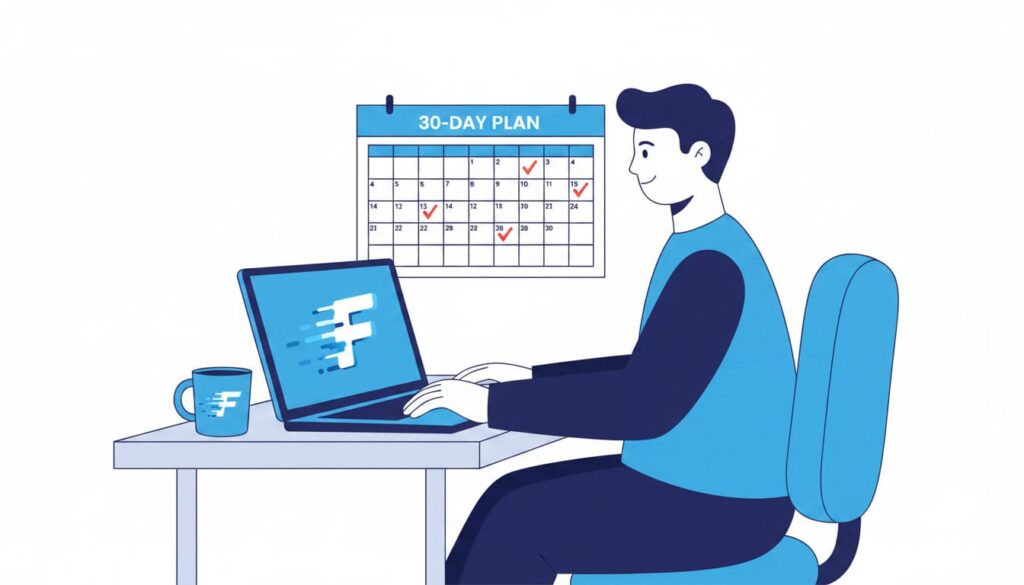
 Beginner
The Best Way to Learn Touch Typing as an Adult (Realistic 30-Day Plan)
Most touch-typing guides are written as if you are a ten-year-old with unlimited free time. As an adult, you probably have twenty spare minutes…

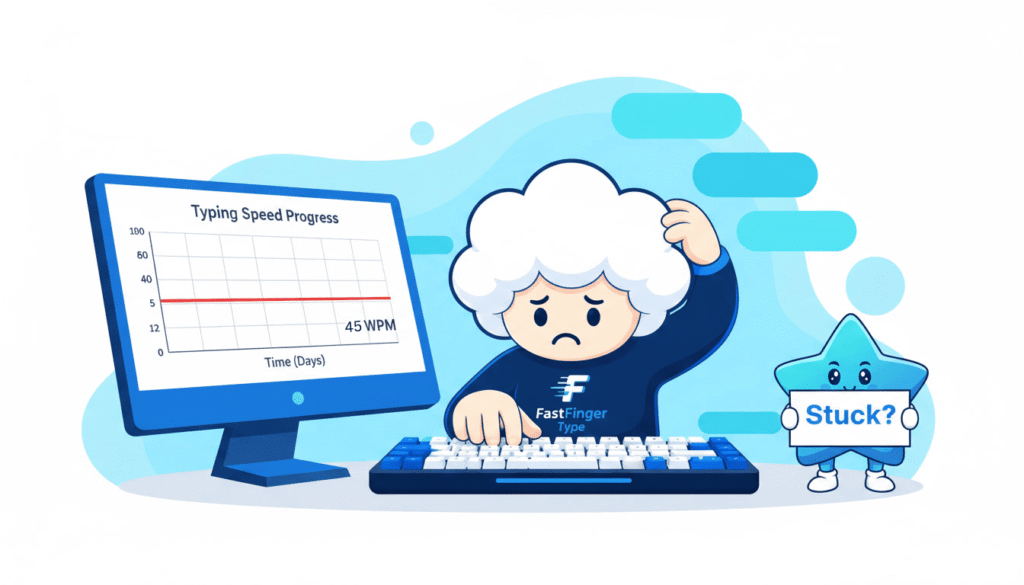
If you’re stuck at 45 WPM, I know exactly how that feels. For about eight months, my typing test results looked like a broken record. 44. 46. 43. 45. 45 again.
I’d take a test, feel like I was flying, and then watch the number land in exactly the same place it always did. It got to the point where I’d finish a run and know the score before it appeared. Forty-five. Always forty-five.
The frustrating part wasn’t the number itself — 45 WPM is perfectly functional. After all, you can work with 45. The frustrating part was that I was practicing, sometimes twenty minutes a day, and nothing moved. I started to assume I’d hit some kind of natural ceiling. Some people are fast, some aren’t, and I was just… a 45 guy.
However, that turned out to be completely wrong. Being stuck at 45 WPM is not a life sentence. And when I finally figured out what was actually going on, the fix wasn’t “practice harder.” It was a handful of specific habits I didn’t even know I had.
Here’s what was really holding me back — and I’d bet at least two of these are holding you back too.

Here’s something I noticed once I started paying attention to other people’s numbers: a lot of people get stuck right around here. Somewhere in the 40–50 range. It’s oddly consistent. You can see it for yourself on our leaderboard — the middle of the pack clusters tightly, and the tail above 80 is thin.
That’s not random. It’s roughly the speed you can hit using bad technique executed very well. For context, the average adult typing speed sits around 40 WPM, which is exactly why so many people end up stuck at 45 WPM.
Think about that for a second, because it matters. If you’ve been typing for years — school, work, messaging — you’ve gotten really good at your own personal method, whatever it is. Maybe you use six fingers. Perhaps you glance down constantly. Or your right hand quietly does most of the work. Whatever it is, you’ve optimised it through sheer repetition.
As a result, 45 WPM is about where that method taps out.
This is the uncomfortable bit: to go faster, you don’t need more practice. You need to break the thing you’ve spent years getting good at. That’s why more practice wasn’t working for me. Being stuck at 45 WPM had nothing to do with effort — I was simply polishing a method with a hard ceiling built into it.
Honestly, this was my big one, and I resisted admitting it for ages.
I told myself I “barely” looked at the keyboard. Then I actually paid attention during a test and realised my eyes were bouncing down every few words. Not staring — just quick glances. Enough to feel like I wasn’t cheating.
Even so, every glance costs you twice. First, the time your eyes spend travelling down and back. Second, and this is the killer, your eyes can’t catch mistakes while they’re looking at your hands. So errors pile up unnoticed until you glance back at the screen and see a mess.
So try this right now: throw a small towel over your hands, or just close your eyes, and type a sentence. If you have no idea where your fingers are, you’ve found your ceiling.
The fix: if you want to stop being stuck at 45 WPM, force yourself to keep your eyes on the screen. Yes, you’ll be worse for a few days. Genuinely, noticeably worse. Even so, push through it. This one change moved me more than anything else.
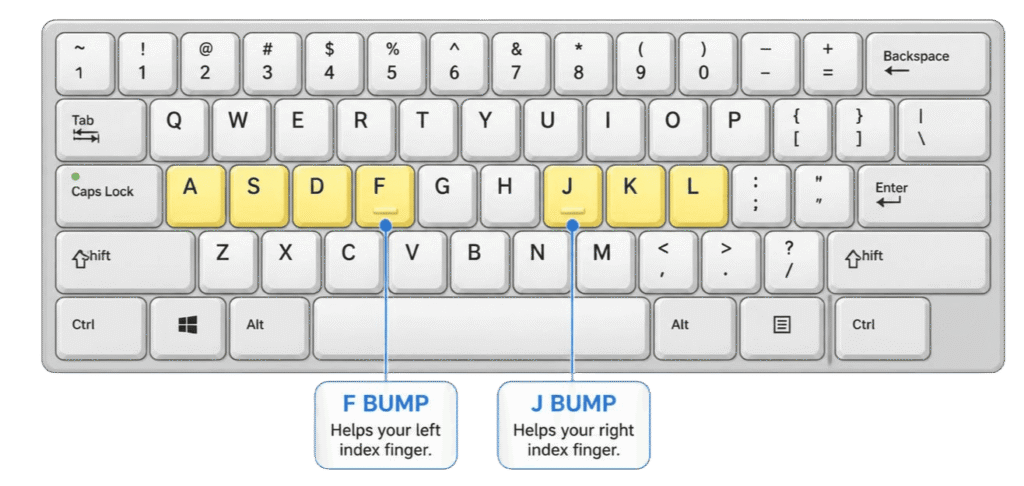
Proper touch typing has a starting position — the home row. Left hand on ASDF and right hand on JKL;. From there, your fingers return home after every reach.
Now, feel your keyboard. There are tiny raised bumps on F and J. In fact, they exist so you can find your position without looking.
Even so, I had been typing for over a decade and had never noticed them. Not once.
Because of that, every keystroke starts from wherever your hand happened to end up. Your brain has to find each key rather than reach for it. That search time is invisible — it feels instant — but it adds up across thousands of keystrokes.
The fix: relearn your finger assignments. Admittedly, it feels humiliating and slow. Even so, give it a week. Our typing lessons take you through it properly, starting from home row and building up.

Meanwhile, watch yourself type sometime. Really watch.
When I finally did, I found I was hitting Backspace constantly — often correcting a letter I’d already fixed, or deleting three characters to change one. My hands were spending a shocking amount of time going backwards.
Here’s the maths that shook me. Say you’re at 90% accuracy. At first, that sounds fine. But it means roughly one error every ten characters, and each one costs you the backspace, the retype, and a small mental stumble. Your effective speed is far below your raw speed.
In contrast, someone typing 40 WPM at 99% accuracy barely stops at all. This single habit keeps more people stuck at 45 WPM than anything else on this list. In real writing, they’ll finish before someone typing 55 WPM at 90%. Every time.
The fix: stop chasing WPM entirely for two weeks. Take a typing test with one goal: stay above 97% accuracy. Slow down until you hit it. Your speed will feel awful. It will also, quietly, start climbing — because you’ve stopped bleeding time on corrections.
Also learn this one: Ctrl+Backspace on Windows, or Cmd+Delete on a Mac, deletes an entire word at once. In practice, it’s a small habit with a real payoff.

Admittedly, this sounds like nonsense until you catch yourself doing it.
When I focused hard on typing fast, my shoulders crept up, my wrists pressed down into the desk, and my fingers got stiff and jabby. Tension is slow. By contrast, loose and light fingers are fast.
The fix: wrists floating, not planted. Elbows roughly at a right angle. Shoulders down. If you want the proper setup, the OSHA guidance on computer workstation posture is genuinely worth two minutes of your time. If your forearms ache after a session, you’re muscling it rather than typing.
This one’s sneaky.
If you just “practice typing,” you’ll naturally type the same common words over and over — the, and, that, with. You’re already excellent at those. Meanwhile the letters you actually fumble — for me it was anything involving my right pinky, so P, the ;, the bracket keys — barely come up.
As a result, you practice for months and get better at nothing, which is a quiet but common reason people stay stuck at 45 WPM.
The fix: find your weak keys on purpose. After a test, notice which specific letters and combinations make you stumble, then drill those deliberately, even though it’s boring. If the drilling kills you, our typing games get the same reps in without it feeling like homework.
If you want a concrete plan for getting unstuck at 45 WPM, here’s the one I used. Fifteen minutes, most days. That’s genuinely it.
1. Warm up (2 min). Type slowly and perfectly. No speed at all. Just wake the hands up and reconnect with home row.
2. Drill your weak keys (5 min). It’s the boring bit, but it’s also the bit that works. Target the letters you avoid.
3. Accuracy run (3 min). Take a normal typing test but cover the WPM number if you have to. Only goal: stay above 97%.
4. Let loose (2 min). Now go as fast as you comfortably can. This time, mistakes are allowed. This finds your current ceiling and stretches it. Note which words trip you — those become tomorrow’s drill.
5. Type something real (3 min). An email, a message, some notes. Skills that only live inside a typing app don’t transfer to real life.
Do that and you’ll feel a difference within two weeks, well before the numbers show it.
Assuming you’ve hit your natural limit. You almost certainly haven’t. Being stuck at 45 WPM is a technique ceiling, not a talent ceiling.
Practicing more without changing anything. More reps of a broken method just makes the method more permanent.
Quitting during the dip. When you fix your hand position, you get worse for about a week. In fact, that dip is the sound of a bad habit breaking. Almost everyone quits right before it clicks.
Blaming your keyboard first. Admittedly, a better keyboard does help — a mushy laptop keyboard gives your fingers almost no feedback about whether a key registered, and switching to something with real key travel improved my accuracy noticeably. But it’s a small gain next to fixing technique. Don’t buy your way out of a habits problem.
Measuring progress daily. You’ll drive yourself mad. Test once a week, same conditions, same test length.
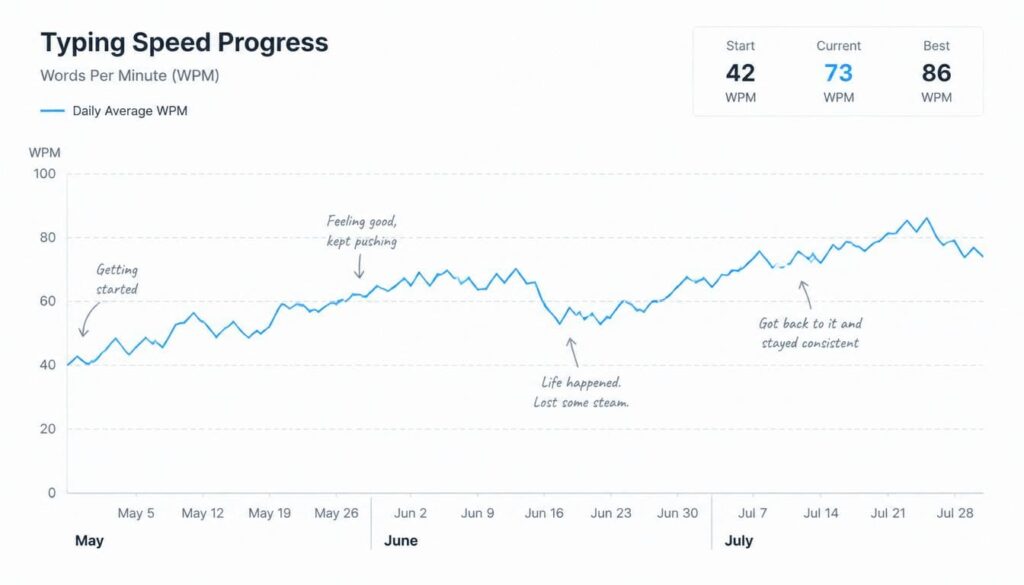
Eventually, I went from a rock-solid 45 to the mid-60s over about three months. It didn’t happen overnight, though, and certainly not in a straight line — there was a genuinely miserable fortnight where I dropped to the low 30s while my hands relearned where they lived.
But the number isn’t even the good part. The good part is that typing stopped being something I thought about. My hands just go now, and my brain is free to focus on what I’m actually writing instead of how I’m writing it.
If you’re stuck at 45, you’re not at your limit. You’re at the limit of how you’re currently typing. Crucially, those are completely different problems, and only one of them is worth solving.
Finally, pick one thing from this list — probably the eyes-on-the-screen one — and give it a week. Take a test today so you have a baseline to beat. That’s genuinely where it starts.
Because 45 WPM is roughly the ceiling of bad technique executed very well. If you learned to type by repetition rather than proper touch typing, you have optimised a method that simply cannot go much faster. The fix is not more practice — it is changing the method: eyes on the screen, fingers on the home row, and accuracy before speed.
Not at all. Around 40 WPM is about average, so 45 is perfectly usable for school, work, and everyday writing. It only becomes a problem if you want to be faster and cannot get past it. Plenty of people are happy at 45 and never need more.
With about 15 focused minutes a day, most people see accuracy improve in the first week and speed start climbing after roughly 3 to 4 weeks. Expect to get worse for a week or so first while your hands relearn their positions. That dip is normal and it passes.
Fix the technique first. Practicing more without changing anything just makes your existing habits more permanent. Start with keeping your eyes on the screen and learning the home row — our typing lessons cover both.
A little. A mushy laptop keyboard gives your fingers almost no feedback about whether a key registered, which quietly costs accuracy, so a keyboard with real key travel does help. But it is a small gain compared to fixing your technique. Do not try to buy your way out of a habits problem.
Take a typing test and pay attention to where you stumble rather than just the final score. Most people fumble the same handful of letters over and over, usually the pinky reaches. Once you spot the pattern, drill those keys on purpose instead of the ones you are already good at.
BeginnerMost touch-typing guides are written as if you are a ten-year-old with unlimited free time. As an adult, you probably have twenty spare minutes…
 Typing Games
There are two very different ways to practise typing, and people often argue about which one is better. On one side sits the classic…
 Technique
Everyone makes typing mistakes. The problem is not the occasional typo — it is the same mistakes, made over and over, that quietly cap…